Preferred Staff Selection
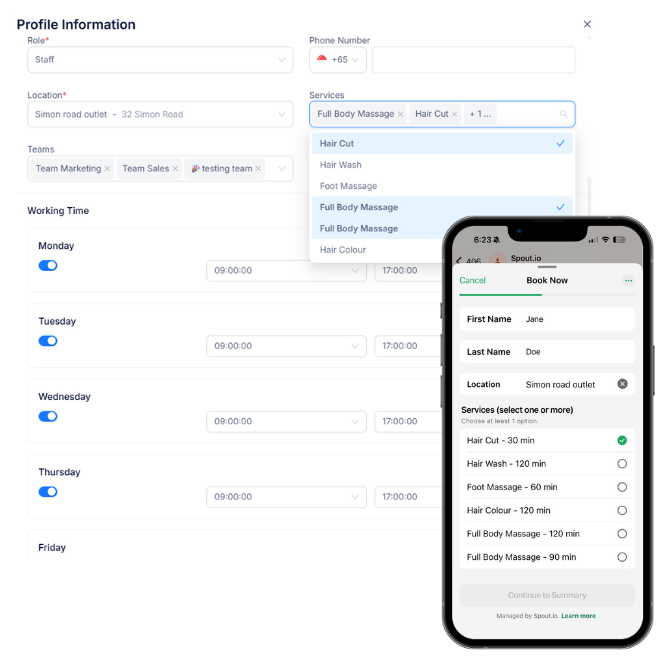
Automatically route bookings to the right staff based on availability or preference, so your team always knows who’s responsible.
Customers can effortlessly choose their preferred staff member if they have one, making booking more personal and seamless.

Get Started
Why Staff Selection Matters
Give your customers the power to choose. Whether they have a favorite stylist or a preferred consultant, our seamless booking flow lets them pick the person they trust most.
1. Personalize the Experience
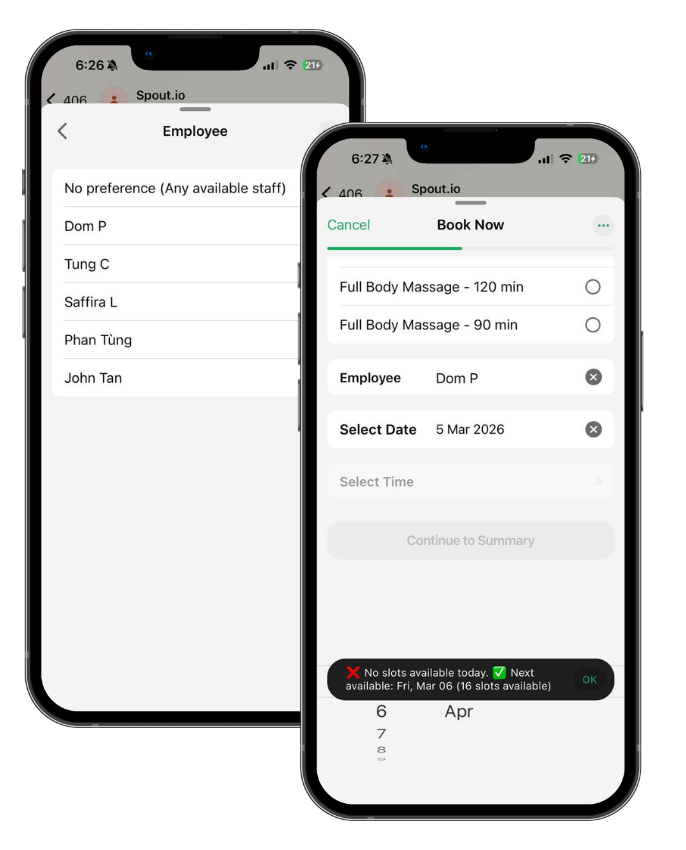
Give your customers the freedom to choose. During the booking process, clients can browse your team and select their preferred staff member for a more personal touch.
Our system checks the live business roster in real-time, only showing dates and time slots when your chosen staff member is actually available.
2. Fair-Play Automation
Keep your team happy and productive. If a customer has no preference, our Smart Round-Robin system automatically assigns the booking to the next available member, ensuring a perfectly fair distribution of workload across your entire team.
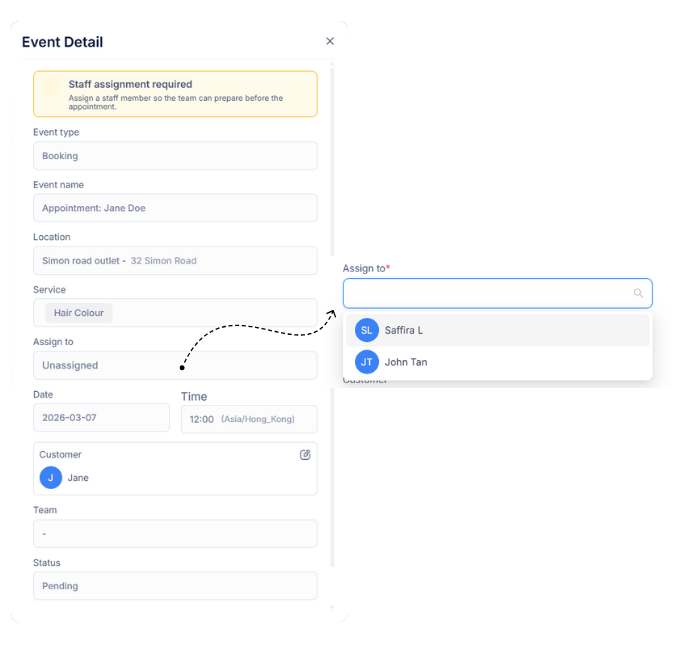
Need to make a change? Switch to manual assignment anytime for complete control.
3. Calendar updates instantly
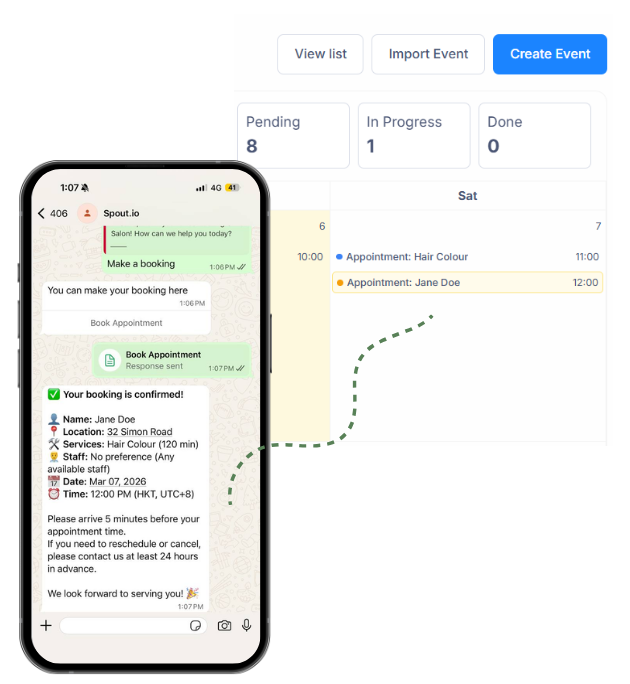
Appointments sync automatically to your calendar and CRM — no manual updates, no double bookings
Frequently Asked Questions
How do customers know if a specific staff member is available on a certain day?
What happens if the customer doesn’t select a preferred staff member?
Can I input staff rosters so customers can see their available times?
Can this scale as my team grows?
See Staff Selection in Action
Stop the chaos of manual staff assignments. Let your system automatically match bookings to the right team members —reducing errors, lightening your workload, and creating happier customers who keep coming back.